18 March 2026
15 min read

10 Common CCTV Camera Problems and How to Fix Them

In today’s world, a robust surveillance system is crucial for both homes and businesses. CCTV cameras are the backbone of security, but like any technology, they can sometimes encounter problems. Understanding common CCTV camera problems and knowing how to troubleshoot them can save time, reduce stress, and keep your property protected.
In this guide, we at St. Anthonys Service will cover the 10 most frequent CCTV issues and practical solutions, so your security cameras always operate at their best.

1. CCTV Camera Not Working

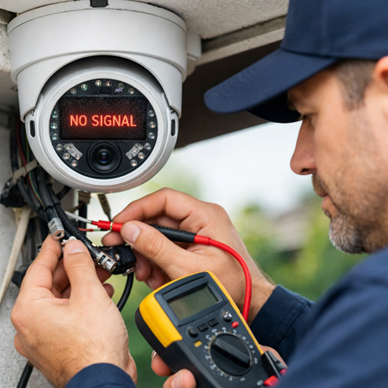
Technician troubleshooting a CCTV camera not working

One of the most common frustrations iswhen your security camera is not working. This can happen due to avariety of reasons:

Causes:

  1. Faulty power supply or loose cables
  2. Network or IP configuration errors
  3. Physical damage to the camera

Step-by-Step Fix:

  1. Check if the camera is properly plugged into its power source.
  2. Inspect all cables for visible damage or loose connections.
  3. Restart the camera or the NVR/DVR system.
  4. Verify network settings if it’s an IP camera.

If the issue persists, contact CCTV troubleshooting experts for professional repair.
2. Blurry or Poor-Quality Images

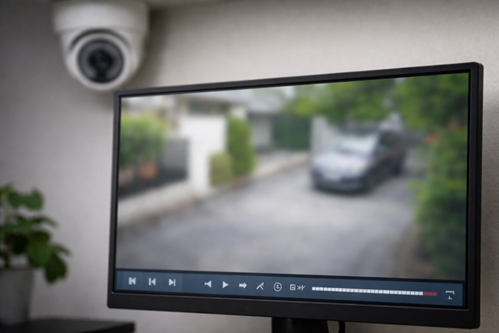
Blurry CCTV footage on monitor due to camera issues

A common complaint is unclear video footage. Poor image quality can reduce your CCTV’s effectiveness.

Causes:

  • Dirty or smudged camera lens
  • Incorrect focus or misaligned camera
  • Low lighting or weather conditions

How to Fix:

  • Clean the camera lens gently with a microfiber cloth.
  • Adjust focus and positioning.
  • Upgrade to higher-resolution cameras if necessary.
  • Ensure proper lighting in critical areas.

3. Camera Feeds Going Offline Intermittently

Intermittent camera feeds can be frustrating, especially for IP-based cameras.

Causes:

  • Weak Wi-Fi or network interference
  • Overloaded routers or bandwidth issues
  • Faulty wiring

Step-by-Step Fix:

  1. Check your network connection and router settings.
  2. Reduce the number of devices connected to the network.
  3. Ensure proper Ethernet cable connections.
  4. Restart the camera and router.
  5. For recurring issues, seek professional surveillance system repair services.

4. No Recording or Storage Issues

CCTV systems are only useful if they record properly.

Causes:

  • Full storage drives or SD cards
  • Incorrect recording settings
  • DVR/NVR malfunction

Fix:

  • Clear unnecessary files from storage.
  • Check recording schedules and ensure cameras are set to record.
  • Test the DVR/NVR for faults.
  • Replace defective storage devices if needed.

5. Power Supply Problems

Cameras that lose power frequently are a serious concern.

Causes:

  • Faulty power adapters or cables
  • Power surges or unstable electricity
  • Overloaded circuits

Fix:

  • Inspect and replace damaged power cables.
  • Use a surge protector for your CCTV system.
  • Consider a UPS backup to ensure continuous operation.

6. Network Connectivity Errors

For IP cameras, connectivity is critical.

Causes:

  • Incorrect IP or network configuration
  • Router settings blocking camera access
  • Firewall restrictions

Fix:

  • Ensure correct IP address and subnet mask configuration.
  • Restart network devices.
  • Temporarily disable firewalls or adjust settings.
  • For persistent issues, contact CCTV troubleshooting experts.

7. Night Vision Not Functioning

Night vision is essential for 24/7 surveillance.

Causes:

  • Dirty IR LEDs or camera lenses
  • Damaged infrared sensors
  • Incorrect camera settings

Fix:

  • Clean the lens and IR LEDs.
  • Check camera settings for night vision mode.
  • Replace malfunctioning cameras or LEDs if necessary.

8. Camera Angle or Position Problems

Sometimes the camera isn’t capturing the desired area.

Causes:

  • Poor installation or accidental bumps
  • Inadequate field of view
  • Obstructions like trees or furniture

Fix:

  • Reposition and secure cameras at optimal angles.
  • Adjust zoom and focus settings.
  • Trim or move objects obstructing the view.

9. Motion Detection Malfunctions

Motion alerts are crucial for active monitoring.

Causes:

  • Sensitivity set too low or high
  • Software glitches
  • Obstructions triggering false alerts

Step-by-Step Fix:

  1. Adjust sensitivity settings in the camera app.
  2. Ensure no moving objects are falsely triggering detection.
  3. Update camera software and firmware.
  4. Test alerts and fine-tune settings for optimal performance.

10. Software and Firmware Glitches

Outdated software can reduce CCTV performance.

Causes:

  • Old firmware or software versions
  • Compatibility issues with apps
  • Bugs in the system

Fix:

How to Maintain Your CCTV System

Homeowner monitoring CCTV security system remotely via mobile app

Preventing problems is better than fixing them. Regular maintenance ensures long-term performance:

  1. Inspect cameras and cables monthly.
  2. Clean lenses and IR sensors regularly.
  3. Test recording and network connections.
  4. Schedule annual professional checks with St. Anthonys Service.
  5. Keep firmware and software updated.

A properly maintained CCTV system increases security and avoids costly repairs.

Frequently Asked Questions (FAQs)

Q1: Why is my CCTV camera not showing live footage?
A: This could be due to network issues, power failures, or faulty cameras. Check cables, restart devices, and if unresolved, contact CCTV troubleshooting experts.

Q2: How do I fix a blurry CCTV camera?
A: Clean the lens, adjust focus, and ensure proper lighting. If the issue continues, a professional inspection may be needed.

Q3: Can I repair my CCTV system myself?
A: Minor issues like cleaning lenses or checking cables are DIY-friendly. For complex problems, St. Anthonys Service provides reliable surveillance system repair.

Q4: How often should I maintain my CCTV system?
A: Monthly basic checks and annual professional maintenance ensure optimal performance.

Q5: Who can I contact if my CCTV system fails completely?
A: Reach out to St. Anthonys Service for immediate support and repairs.

Conclusion

CCTV systems are vital for security, but like any technology, they can experience problems. By understanding common CCTV camera problems and following troubleshooting steps, you can ensure your cameras operate smoothly.

For professional CCTV installation, maintenance, or repair, trust St. Anthonys Service. Our team ensures your surveillance system runs efficiently, giving you peace of mind.

Whether it’s a camera not working, blurry footage, or network issues, we’re just a click away at St. Anthonys Service. Don’t wait for a security breach - maintain your CCTV system today!